Mobile data has become an important part of everyday life. We use it to browse websites, watch videos, check social media, send messages, use maps, listen to music, and much more. Because of this, it is very easy to use a large amount of mobile data without even noticing it. When the data limit is reached too early, users may have to buy an extra data package or deal with slow internet.
The good news is that reducing mobile data usage is not difficult. A few simple changes in your phone settings and daily habits can help you save mobile data. You do not have to stop using your favorite apps. You only need to use them in a smarter way. In this article, we will discuss some simple and useful ways to reduce mobile data usage on your smartphone.
Check Your Mobile Data Usage
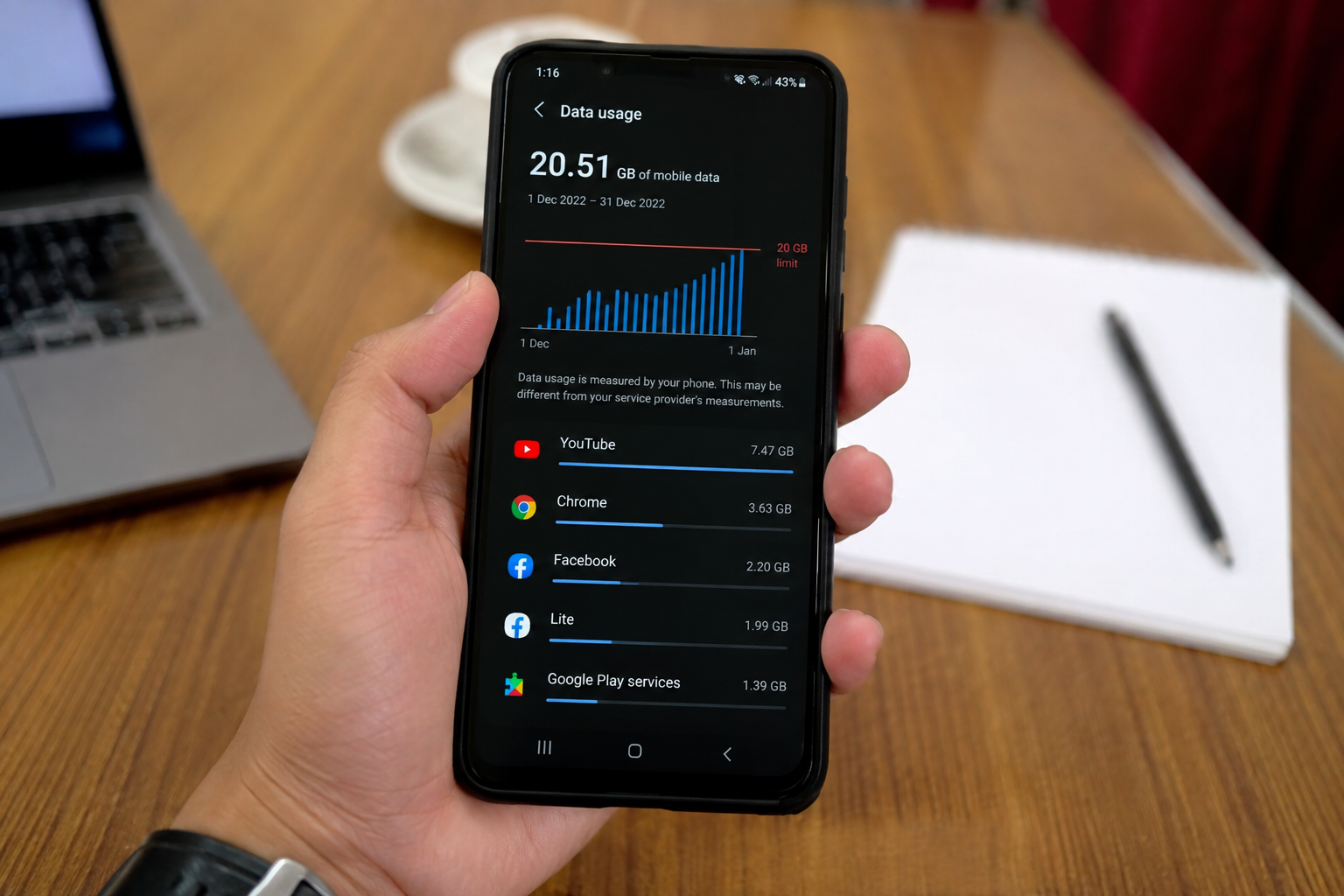
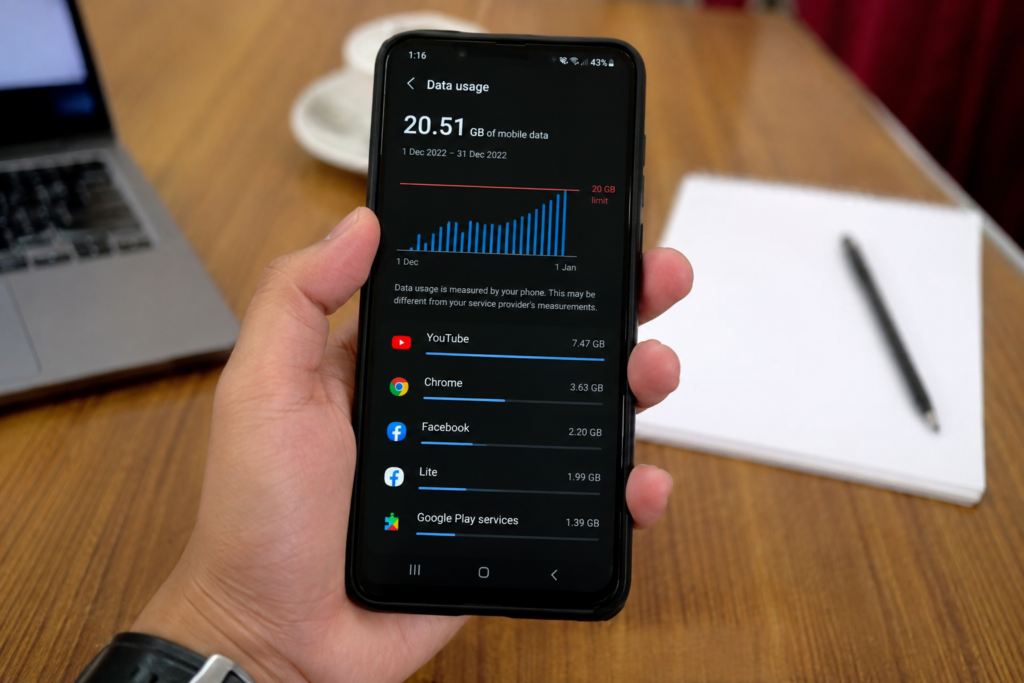
The first step to reduce mobile data usage is to understand where your data is going. Most smartphones have a built in feature that shows how much mobile data each app has used. You can find this option in the network or mobile data settings of your phone.
Check the list carefully and look for apps that are using a large amount of data. Video apps, social media apps, music services, cloud storage apps, and online games can often use a lot of mobile data. Once you know which apps are using the most data, you can make better decisions about how to control them.
Checking your mobile data usage regularly can also help you notice unusual activity. If an app is using too much data even when you are not actively using it, you may need to change its background settings.
Use WiFi Whenever Possible
One of the easiest ways to save mobile data is to use WiFi whenever it is available. At home, school, office, or another trusted location, connect your phone to a reliable WiFi network.
Watching videos, downloading files, updating apps, and listening to long music playlists can consume a lot of data. Doing these activities over WiFi can save your mobile data for times when you really need it.
However, be careful when connecting to public WiFi. Avoid entering sensitive information on unknown or unsecured networks. Using your own mobile data can sometimes be safer than connecting to an unfamiliar network.
Reduce Video Streaming Quality
Video streaming is one of the biggest reasons for high mobile data usage. Watching videos in high quality can consume a large amount of data in a short time. If you regularly watch videos using mobile data, reducing the video quality can make a noticeable difference.
Most popular video apps provide quality settings. Instead of automatically selecting the highest quality, choose a lower quality when you are using mobile data. A standard quality video can still be enjoyable on a smartphone screen while using much less data.
You can also download videos when you are connected to WiFi and watch them later without using mobile data.
Turn Off Automatic App Updates
Automatic app updates can use mobile data without you realizing it. Some updates are small, but others can be quite large. If several apps update while you are using mobile data, your data package can disappear quickly.
Go to your app store settings and choose the option that allows apps to update only over WiFi. This gives you more control over your mobile data usage.
It is still important to keep your apps updated because updates can improve security, fix problems, and add useful features. The goal is not to stop updates but to download them through WiFi whenever possible.
Limit Background Data
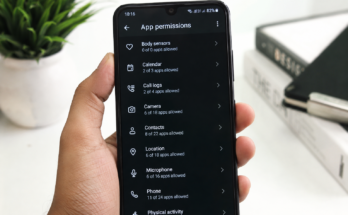
Many apps continue to use internet data even when you are not actively using them. They may check for new messages, refresh content, upload information, or download updates in the background.
You can reduce this activity by limiting background data for apps that do not need constant internet access. Social media apps and shopping apps are good examples of apps that may not need to refresh all the time.
Be careful when changing these settings for important apps. Messaging and email applications may need background access so you can receive notifications on time.
Use Data Saver Mode
Most modern smartphones include a data saver feature. This feature is designed to reduce mobile data usage by limiting background activity and controlling how apps use data.
You can usually find Data Saver in the mobile network or internet settings. Turn it on when you are trying to stay within a monthly data limit.
Data Saver mode may slightly change how some apps work in the background, but it can be very helpful when your mobile data package is almost finished.
Save Music for Offline Listening
Music streaming can also use a considerable amount of mobile data, especially when you listen for several hours every day. Many music apps allow users to download songs, albums, or playlists while connected to WiFi.
Take advantage of this feature. Download your favorite music at home and listen to it later without using mobile data.
If downloading music is not convenient, you can also lower the streaming quality. Lower quality audio generally uses less data while still sounding good on a smartphone.
Control Social Media Data Usage
Social media apps are another common source of high mobile data usage. Photos, videos, stories, and automatic video playback can quickly consume your data.
Many social media apps have settings that reduce data usage. Look for options such as Data Saver, Media Quality, or Autoplay. Turn off automatic video playback or allow videos to play only when you choose.
You can also choose to upload photos and videos in lower quality when using mobile data. These small changes can help you save a surprising amount of data each month.
Avoid Automatic Cloud Backups on Mobile Data
Cloud backup services are useful because they protect your photos, videos, and files. However, automatic backups can use a lot of mobile data, especially when you have many large videos or pictures.
Set your cloud backup service to work only when your phone is connected to WiFi. This is particularly useful if you regularly take photos and videos.
You should also check whether your phone is automatically uploading large files through mobile data. Changing this setting can prevent unexpected data usage.
Download Maps for Offline Use
Navigation apps are very useful when traveling, but using online maps continuously can consume mobile data. If you know where you are going, consider downloading an offline map while connected to WiFi.
Offline maps allow you to search and navigate in many areas without constantly using mobile data. This can be especially useful during road trips or when traveling to places where mobile internet is limited.
Remember to download the map before leaving the WiFi connection.
Be Careful With Mobile Hotspot
Mobile hotspot allows you to share your phone’s internet connection with another device. It is useful when your laptop or tablet does not have WiFi, but it can use mobile data very quickly.
A computer may download updates, cloud files, videos, and other large content in the background. If you use your phone as a hotspot, keep an eye on your data usage.
Turn off the hotspot as soon as you no longer need it. You should also make sure that only trusted devices are connected to your hotspot.
Disable Automatic Media Downloads
Messaging apps can automatically download photos, videos, documents, and audio files. If you are part of several busy groups, this can consume a large amount of mobile data.
Open your messaging app settings and look for automatic media download options. Set large files and videos to download only when you are connected to WiFi.
This gives you more control over what is downloaded to your phone and helps reduce unnecessary mobile data usage.
Use Mobile Data Carefully While Traveling
Mobile data usage can increase when you are traveling because you may spend more time using maps, social media, video apps, and online services.
Before traveling, download important maps, music, videos, and documents over WiFi. This can reduce the need for mobile data during your trip.
If you are traveling internationally, be especially careful with data roaming. Roaming charges can become expensive very quickly. Check your mobile provider’s roaming options before using mobile internet abroad.
Turn Off Mobile Data for Unnecessary Apps
Not every app needs access to mobile data. Some apps may only need internet access when you are connected to WiFi.
You can disable mobile data access for apps that you rarely use or apps that do not need an internet connection while you are away from WiFi.
This is a simple way to reduce mobile data usage because those apps will no longer be able to consume your data in the background.
Set a Mobile Data Limit
If your phone supports it, set a monthly mobile data limit or warning. This feature can notify you when your data usage reaches a certain level.
For example, if you have a limited monthly data package, you can set a warning before reaching the full limit. This gives you enough time to change your habits and avoid running out of data.
A data limit is especially useful for people who frequently forget to check their usage manually.
Keep an Eye on Your Daily Habits
Reducing mobile data usage is not only about changing phone settings. Your daily habits also matter. Watching fewer videos on mobile data, downloading large files over WiFi, and avoiding unnecessary streaming can make a big difference.
Try to think before using mobile data for activities that require large downloads. If something can wait until you reach a WiFi connection, waiting can help you save data.
You do not need to completely stop using mobile internet. The main goal is to understand how your data is being used and avoid wasting it.
Final Thoughts
Reducing mobile data usage is easier than many people think. You can start by checking which apps use the most data and then make a few simple changes. Using WiFi, reducing video quality, limiting background data, turning off automatic downloads, and using Data Saver mode can help you control your mobile data usage.
Small changes in your daily habits can also make a big difference. Download music and videos over WiFi, use offline maps, control social media video playback, and avoid unnecessary mobile hotspot use.
The best way to save mobile data is to stay aware of how your smartphone uses the internet. Once you understand which activities consume the most data, you can make smarter choices and keep your monthly data package available when you actually need it.