Your smartphone battery is one of the most important parts of your phone. You can have a great camera, a fast processor, and a beautiful display, but none of these things are useful when your battery does not last long. Many smartphone users notice that their phone battery becomes weaker after using the phone for a long time. The good news is that you can take simple steps to keep your smartphone battery healthy and improve its overall life.
Modern smartphones usually use lithium ion batteries. These batteries are designed to provide good performance for a long time, but they can lose capacity as they age. The way you charge and use your phone can affect how quickly the battery becomes weaker. By following a few simple battery care habits, you can help your smartphone battery stay healthy for longer.
Avoid Keeping Your Battery at 0 Percent
One of the easiest ways to take care of your smartphone battery is to avoid letting it reach zero percent too often. When your phone completely runs out of power, the battery goes through a deeper discharge cycle. Doing this regularly can put more stress on the battery over time.
You do not need to wait until your phone reaches a very low percentage before charging it. If your battery is around 20 or 30 percent, you can connect the charger. Regular small charges are generally better than constantly allowing the battery to completely run out.
This does not mean your phone can never reach zero percent. It can happen sometimes, and there is no need to worry. The important thing is to avoid making complete battery drain a regular habit.
Do Not Always Charge to 100 Percent
Many people believe that they should always charge their phone to 100 percent. While a full charge is useful when you need maximum battery life during the day, keeping a battery at full charge for long periods can contribute to battery aging.
If you do not need a full battery, charging your phone to around 80 or 90 percent can be a useful habit. Some modern smartphones also include battery protection features that limit charging or learn your charging routine.
Check your phone settings for options such as optimized charging, adaptive charging, or battery protection. These features can help reduce the time your battery spends at a very high charge level.
Keep Your Smartphone Cool
Heat is one of the biggest enemies of a smartphone battery. High temperatures can cause battery health to decrease faster. Your phone may become warm while playing games, using navigation, recording videos, or charging.
Try to keep your smartphone away from direct sunlight and very hot places. Do not leave it inside a hot car for a long time. If your phone becomes unusually hot, stop demanding activities and allow the device to cool down.
You should also avoid covering your phone with thick materials while it is charging if this causes the device to become hot. Good airflow can help your phone maintain a safer temperature.
Use a Good Charger
The charger you use can also affect your smartphone battery. It is better to use the original charger that came with your phone or a reliable charger from a trusted manufacturer.
Cheap or poor quality chargers may not provide stable power. In some cases, they can create safety risks as well. A good charger is designed to work correctly with your smartphone and provide the appropriate charging power.
You do not always need to buy the most expensive charger. The important thing is to choose a reliable product that matches your phone’s charging requirements.
Avoid Heavy Phone Use While Charging
Using your smartphone while charging is not automatically harmful, but heavy use can make the phone warmer. Activities such as playing demanding games, recording high quality videos, or using navigation for a long time can increase heat.
If your phone becomes very warm during charging, give it some rest. Light activities such as checking messages are usually less demanding than running a graphics heavy game.
Keeping the phone at a reasonable temperature is more important than avoiding every type of use while charging.
Turn Down Screen Brightness
The display is one of the biggest sources of battery consumption on many smartphones. Very high screen brightness can quickly use battery power, especially when you use your phone for several hours.
Using automatic brightness can help your phone adjust the screen according to the surrounding light. You can also manually reduce the brightness when you are indoors or in a darker environment.
A lower screen brightness can help your battery last longer during the day. It can also make the phone more comfortable to use in dark surroundings.
Manage Background Apps
Some apps continue working in the background even when you are not actively using them. They may check for updates, use location services, send notifications, or perform other tasks.
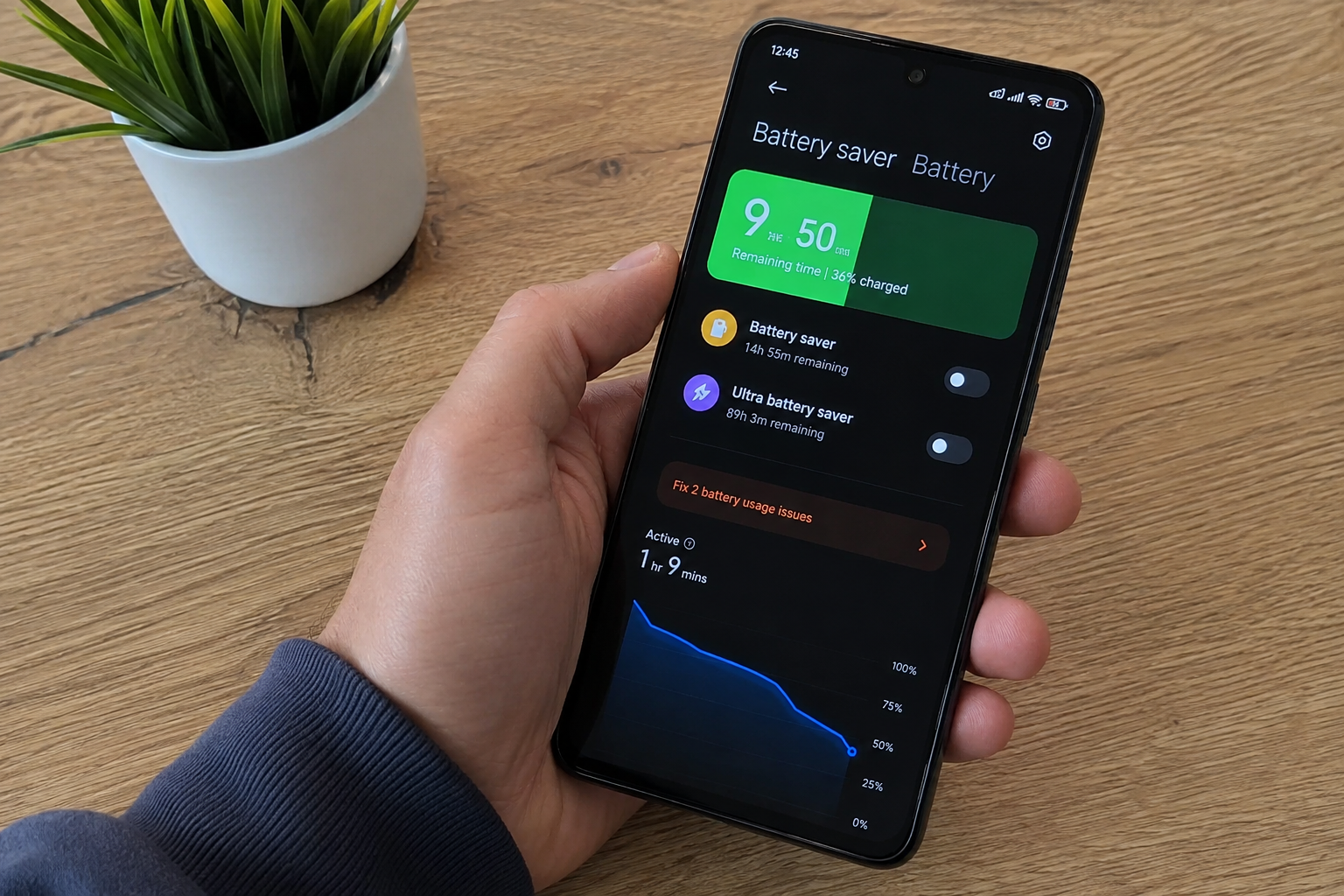
Go to your smartphone battery settings and check which apps are using the most power. If an app uses an unusually large amount of battery, consider limiting its background activity or changing its permissions.
You do not need to close every app manually. Modern smartphones are designed to manage applications automatically. Instead, focus on apps that consistently use a large amount of power without providing much value.
Keep Your Smartphone Software Updated
Software updates can sometimes improve battery performance. Phone manufacturers regularly release updates that fix problems, improve system performance, and make applications work more efficiently.
Keeping your smartphone operating system and important apps updated can therefore be helpful for battery life. Updates may also include improvements to power management.
However, after a major update, your phone may temporarily use more battery while it completes background tasks. This usually settles down after some time.
Use Battery Saver When Needed
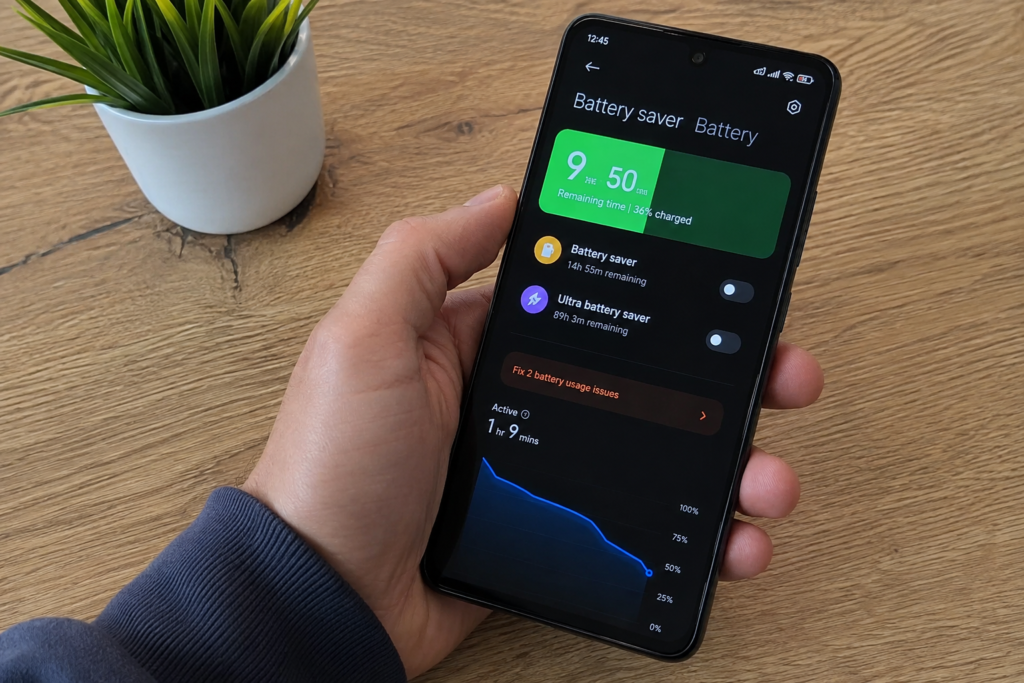
Most smartphones have a battery saver or power saving mode. This feature can reduce background activity, limit certain functions, and make other changes to help your battery last longer.
Battery saver mode is especially useful when you are away from a charger and your battery is getting low. You can also use it when you know you will not have access to a charger for several hours.
Using battery saver does not mean your battery is damaged. It is simply a useful tool for reducing power consumption when necessary.
Be Careful With Fast Charging
Fast charging is a very useful smartphone feature because it allows you to add a large amount of battery power in a short time. However, fast charging can create more heat than slower charging in some situations.
You do not need to avoid fast charging completely. It is designed for modern smartphones and can be very convenient. But if you are charging your phone overnight or when you are not in a hurry, using a normal charging option may reduce unnecessary heat.
The most important thing is to make sure the charger and cable are compatible with your smartphone.
Avoid Extreme Temperatures
Both very high and very low temperatures can affect smartphone battery performance. A phone may temporarily lose battery performance when it becomes extremely cold. High temperatures can be more concerning because repeated exposure to heat can accelerate battery aging.
Try to keep your smartphone in a comfortable environment. Do not leave it near heaters, in direct sunlight, or in other places where temperatures can become extreme.
If your phone becomes hot during heavy use, allow it to cool naturally. Avoid putting a hot phone into a freezer or refrigerator because sudden temperature changes can create other problems.
Use Your Phone Wisely
Your everyday phone habits have a major effect on battery life. Watching videos for hours, playing demanding games, using maximum brightness, and constantly using mobile data can drain the battery quickly.
You can reduce battery consumption by lowering brightness, using WiFi when appropriate, turning off unnecessary location services, and reducing features that you do not need.
You should also check your battery usage regularly. This can help you understand which apps and features consume the most power.
Do Not Worry About Every Charge
One common mistake is becoming too worried about every charging decision. Smartphone batteries naturally lose some capacity over time. Even if you follow every battery care recommendation, the battery will eventually age.
The goal is not to keep the battery perfect forever. The goal is to slow down unnecessary battery wear and get reliable performance for as long as possible.
Simple habits are usually enough. Avoid extreme heat, use a reliable charger, do not regularly drain the battery completely, and take advantage of your phone’s built in battery protection features.
Conclusion
Learning how to keep your smartphone battery healthy does not require complicated steps. Small changes in your daily habits can make a meaningful difference over time. Avoid extreme temperatures, use a reliable charger, keep your phone software updated, manage battery heavy apps, and avoid regularly charging from zero to 100 percent when it is not necessary.
Your smartphone battery will naturally become older with use, but good battery care can help slow down the process. By paying attention to heat, charging habits, screen brightness, background apps, and power saving features, you can enjoy better battery performance and make your smartphone more reliable.
A healthy smartphone battery means fewer charging problems, better daily battery life, and less frustration when you need your phone. Start with a few simple habits today and make battery care a normal part of using your smartphone.