Smartphones have become an important part of our daily lives. We use them for communication, work, study, entertainment, shopping, banking, taking pictures, and many other things. Because we use our phones so much, it is normal to face different smartphone problems from time to time. Some problems are small and can be fixed at home, while others may need professional help.
The good thing is that many common smartphone problems have simple solutions. You do not always need to buy a new phone or visit a repair shop when something goes wrong. In this guide, we will discuss common smartphone problems and simple solutions that can help keep your phone working properly.
Phone Is Running Slow
One of the most common smartphone problems is slow performance. You may notice that apps take longer to open, the screen becomes less responsive, or your phone takes more time to complete simple tasks.
A phone can become slow for several reasons. Too many apps running in the background, low storage space, old software, and a large number of unnecessary files can affect performance.
The first thing you should do is restart your phone. A simple restart can close background processes and give the system a fresh start. You should also check your storage and remove apps, videos, photos, and files that you no longer need.
Keeping your apps and phone software updated can also improve performance. If your phone is still slow after trying these steps, check which apps are using the most memory and battery. Removing apps that you rarely use can sometimes make a noticeable difference.
Smartphone Battery Drains Quickly
Fast battery drain is another common smartphone problem. You may charge your phone in the morning and find that the battery is almost empty by the afternoon.
Many things can cause battery drain. High screen brightness, location services, background apps, mobile data, Bluetooth, and constant notifications can all use battery power.
To improve smartphone battery life, reduce your screen brightness or turn on automatic brightness. You can also use battery saver mode when you need your battery to last longer.
Check the battery section in your phone settings to see which apps are using the most power. If an app is consuming too much battery in the background, you can restrict its background activity.
It is also a good idea to keep your phone away from extreme heat. High temperatures can affect battery performance and may reduce battery health over time.
Phone Storage Is Full
Running out of storage can be frustrating. When your phone storage is full, you may not be able to install new apps, download files, take pictures, or receive certain updates.
Photos and videos are often responsible for using a large amount of storage. Open your gallery and remove unwanted pictures, duplicate files, old videos, and screenshots.
You should also check your downloads folder. Many downloaded files are forgotten after they are used. Removing unnecessary files can free up valuable space.
Another useful solution is to uninstall apps that you no longer use. Some apps can take a lot of storage even when you rarely open them.
If your phone supports cloud storage, you can also back up important photos and videos and remove local copies when appropriate. Always make sure your important files are safely backed up before deleting them.
Phone Overheats
Smartphones can become warm during heavy use, especially when playing games, recording videos, using navigation, or charging. However, a phone that becomes extremely hot may have a problem.
One simple solution is to stop using the phone for a while and let it cool down naturally. Avoid placing it under a pillow or inside a closed bag while it is hot.
Close apps that are using a lot of processing power and reduce heavy tasks until the phone returns to a normal temperature.
You should also avoid using damaged chargers or low quality charging accessories. If your smartphone continues to overheat during normal use, check for software updates and consider having the device inspected by a professional.
Apps Keep Crashing
Sometimes an app may close suddenly, freeze, or refuse to open. This can happen because of a software bug, outdated app version, insufficient storage, or a problem with the phone system.
Start by closing the app and opening it again. If that does not work, restart your phone.
You should also check the app store for updates. Developers regularly release updates to fix bugs and improve compatibility.
If the problem continues, clearing the app cache can help on many Android phones. You can also uninstall and reinstall the app. Before doing this, make sure important information stored inside the app is backed up if necessary.
Phone Is Not Connecting to WiFi
WiFi connection problems are very common. Your phone may show that it is connected to WiFi but the internet may not work properly.
First, check whether other devices can use the same WiFi network. If other devices are also having problems, the issue may be with the router or internet service.
If the problem only affects your phone, turn WiFi off and turn it on again. You can also forget the network and reconnect by entering the password again.
Restarting both the phone and router can sometimes solve temporary connection problems. If WiFi continues to disconnect, check your phone for software updates.
Mobile Data Is Not Working
Sometimes mobile data stops working even when your phone shows a good signal. This can happen because of network problems, incorrect settings, or a data limit.
First, make sure mobile data is turned on. Check whether airplane mode is disabled. You can also turn airplane mode on for a few seconds and then turn it off. This can help your phone reconnect to the mobile network.
If mobile data still does not work, restart your phone. You should also check whether your mobile package is active and whether you have enough data available.
If the issue continues, contact your mobile network provider to check for service problems in your area.
Phone Screen Is Not Responding
A smartphone touchscreen that does not respond properly can make the phone difficult to use. Sometimes the issue is caused by a temporary software problem, dirt, moisture, or a damaged screen.
Start by cleaning the screen gently with a soft, dry cloth. Make sure your hands are also dry before using the touchscreen.
Restart the phone if possible. If the screen is completely unresponsive, you may need to use the phone’s forced restart method.
If the phone was recently dropped or exposed to water, there may be physical damage. In that situation, professional repair may be necessary.
Phone Is Not Charging
Charging problems are another common smartphone issue. Your phone may charge very slowly or may not charge at all.
First, check the charging cable and adapter. A damaged cable can prevent the phone from charging correctly. Try another compatible cable and charger to see if the problem changes.
You should also check the charging port for dust or dirt. Small particles can prevent a proper connection. Clean the port carefully and avoid using sharp metal objects that could damage it.
If the phone still does not charge, the battery, charging port, or internal hardware may have a problem. A repair professional can check the device safely.
Poor Phone Call Quality
Poor call quality can happen because of weak network coverage, temporary network problems, or issues with the phone itself.
Try moving to an area with better signal strength. Buildings, underground areas, and crowded locations can sometimes reduce mobile signal quality.
Restarting your phone can also help it reconnect to the network. If call quality is poor in one specific location, the issue may be related to network coverage rather than your phone.
If the problem happens everywhere, contact your network provider or check whether your phone has a software update available.
Bluetooth Is Not Connecting
Bluetooth problems can occur when your phone cannot connect to wireless headphones, speakers, smartwatches, or other devices.
Start by turning Bluetooth off and on again. Make sure the other device is switched on and within a reasonable distance.
If the device was connected before but is no longer working, remove it from the Bluetooth settings and pair it again.
Restarting both devices can also solve temporary connection problems. Keeping your phone software and Bluetooth device firmware updated can help prevent connection issues.
Phone Freezes or Restarts by Itself
A phone that freezes or restarts without warning may have a software problem, low storage, an outdated system, or sometimes a hardware issue.
Start with a normal restart and check your available storage. Remove unnecessary files if your storage is almost full.
Make sure your phone software and apps are updated. If the problem started after installing a particular app, that app may be causing the issue.
If random restarts continue frequently, back up your important data and consider getting professional help. Repeated crashes can sometimes indicate a deeper hardware problem.
How to Prevent Common Smartphone Problems
The best way to deal with smartphone problems is to prevent them whenever possible. Keep your phone software updated and regularly remove unnecessary apps and files.
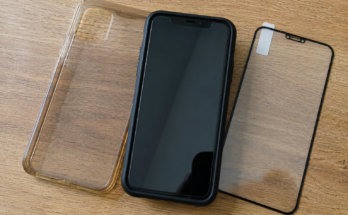
Use a good quality phone case and screen protector to reduce the risk of physical damage. Avoid exposing your phone to extreme heat, water, and dust unless it is specifically designed to handle those conditions.
Do not use damaged charging cables or unknown accessories. Also, make regular backups of important photos, contacts, documents, and other files.
It is useful to restart your phone occasionally and check battery, storage, and software settings. Small maintenance habits can help your smartphone stay fast and reliable for a longer time.
Final Thoughts
Common smartphone problems can be annoying, but many of them are easy to solve. Slow performance, battery drain, full storage, overheating, app crashes, WiFi problems, charging issues, and Bluetooth problems often have simple solutions.
Before spending money on a repair or replacing your phone, try basic troubleshooting steps such as restarting the device, updating software, freeing storage, checking settings, and testing different accessories.
However, if your phone has serious physical damage, continues to overheat, has a swollen battery, or repeatedly experiences hardware problems, professional repair is the safer choice.
Taking care of your smartphone every day can prevent many problems and help your device perform better. With a few simple habits and regular maintenance, you can keep your phone useful, fast, and reliable for a much longer time.