A slow smartphone can be very frustrating, especially when you use your phone every day for work, study, entertainment, social media, and communication. You may notice that apps take longer to open, websites load slowly, the keyboard responds late, or the phone freezes while doing simple tasks. The good news is that a slow phone does not always mean you need to buy a new one. In many cases, you can improve smartphone performance by making a few simple changes.
There are several reasons why a smartphone becomes slow. Low storage space, too many background apps, outdated software, an aging battery, and unnecessary files can all affect phone speed. Sometimes, even a phone that worked perfectly a few months ago can become slower because more apps and data have been added over time. In this guide, you will learn simple and practical ways to make your phone faster and improve overall smartphone performance.
Check Your Phone Storage
One of the most common reasons for a slow smartphone is low storage space. When your phone storage is almost full, the device may have difficulty managing files and running apps smoothly. You should regularly check how much storage space is available on your smartphone.
Go to your phone settings and look for the storage section. You can see which apps, photos, videos, documents, and other files are using the most space. If your storage is nearly full, start by removing files that you no longer need.
Photos and videos often take up a large amount of space. You can move important photos to cloud storage or another safe location and then remove unnecessary copies from your phone. Deleting old downloads, duplicate files, and unused videos can also free up valuable space.
Try to keep some free storage available instead of filling your phone completely. A phone with enough free space usually has more room to manage temporary files and perform everyday tasks.
Delete Apps You Do Not Use
Many people install apps and forget about them. Some of these apps may continue using storage, notifications, battery, and background resources even when you rarely open them.
Take a few minutes to look through your installed apps. If you have not used an app for several months and do not need it, consider uninstalling it. This can reduce storage usage and make your phone easier to manage.
You should also be careful about installing too many apps. Instead of downloading an app for every small task, try to keep only the apps you actually use. A clean phone with fewer unnecessary applications can often feel faster and more responsive.
Restart Your Smartphone
Sometimes the simplest solution is to restart your phone. Your smartphone runs many processes in the background, and some of them may continue using memory for a long time.
Restarting the phone closes many temporary processes and gives the system a fresh start. If your phone has suddenly become slow, freezing, or behaving strangely, try restarting it before making major changes.
You do not necessarily need to restart your phone every day. However, if you notice performance problems, a simple restart can sometimes make a noticeable difference.
Keep Your Software Updated
Software updates are important for smartphone performance and security. Phone manufacturers regularly release updates that fix bugs, improve stability, and sometimes make the system more efficient.
Check your phone settings for available system updates. If an update is available, make sure your phone has enough battery and storage before installing it. It is also a good idea to update your important apps through the official app store.
An outdated operating system or outdated application can sometimes cause crashes, compatibility problems, and slow performance. Keeping everything updated can help your smartphone work more reliably.
Clear Unnecessary App Cache
Some apps store temporary files called cache. These files are designed to help apps load certain content faster, but cache data can become large over time.
If a particular app is running slowly or taking up too much storage, checking its cache may help. On many Android phones, you can find cache options through the app settings. The exact steps can be different depending on the phone model and software version.
Do not confuse cache with important personal data. Avoid deleting app data unless you understand what it does, because it may remove saved settings or require you to sign in again.
Reduce Background Activity
Many apps continue working in the background even when you are not actively using them. Social media apps, shopping apps, email apps, and other services may regularly check for new information.
Background activity can use memory, processing power, battery, and mobile data. If your phone feels slow, check which apps are using the most resources.
You can restrict background activity for apps that do not need to work constantly. However, be careful with important apps such as messaging, security, or communication services because restricting them may delay notifications.
Remove Unnecessary Widgets
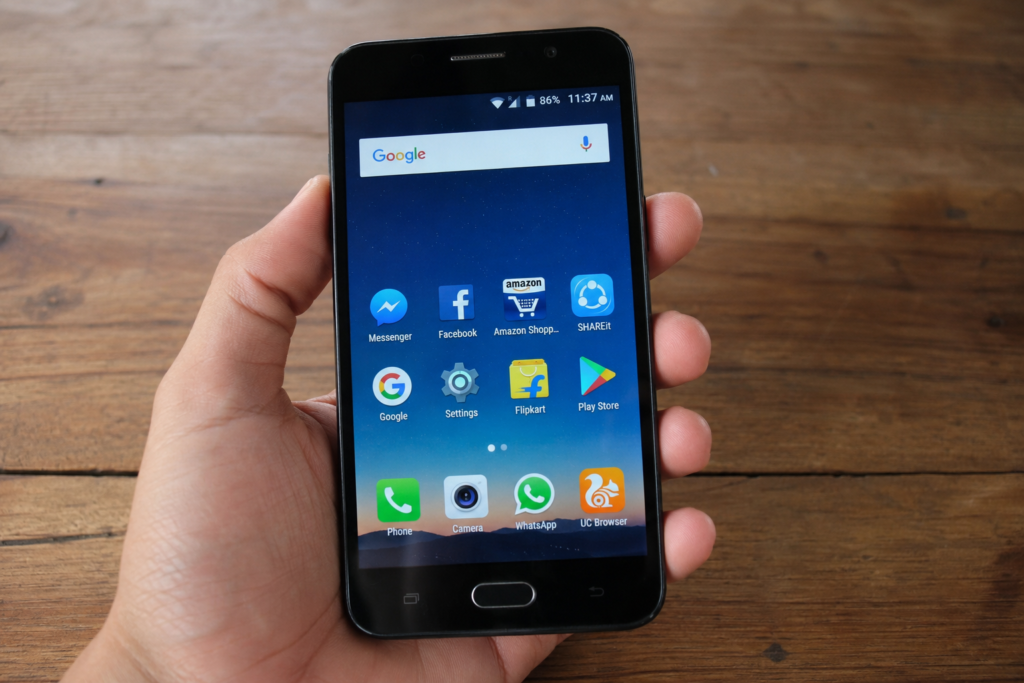
Widgets can be useful because they show information directly on your home screen. However, having many active widgets may increase background activity.
Look at your home screen and remove widgets that you rarely use. You do not need to remove every widget. The goal is simply to keep your home screen useful and simple.
A cleaner home screen can also make your phone feel easier and quicker to use.
Check Your Battery Health
An old or damaged battery can sometimes affect the way a smartphone performs. Some phones may reduce performance when the battery becomes significantly degraded or when the device experiences power related problems.
If your phone is several years old and you notice both poor battery life and slow performance, battery health may be worth checking. Some phones provide battery health information directly in settings.
If the battery is seriously degraded, replacing it through a reliable repair service may improve the overall experience. Avoid trying to replace a built in battery yourself unless you have the proper knowledge and tools.
Avoid Overheating Your Phone
Heat can affect smartphone performance. When a phone becomes too hot, the system may reduce processing performance to protect its internal components.
Heavy gaming, long video recording sessions, direct sunlight, and charging while performing demanding tasks can cause extra heat.
If your phone becomes hot, stop demanding activities for a while and allow it to cool naturally. Avoid putting a hot phone in a refrigerator or freezer because sudden temperature changes can cause additional problems.
Keeping your phone at a normal temperature can help maintain stable performance.
Be Careful With Cleaning Apps
You may see many apps promising to make your phone faster with one tap. Some of these apps may provide useful tools, but you should not install random cleaning or booster applications without checking them carefully.
Some cleaner apps can use additional battery and memory while running in the background. Your smartphone already has built in tools for managing storage and applications in many cases.
Before installing a cleaning app, check who developed it, read genuine reviews, and understand what permissions it requests. Avoid applications that make unrealistic promises about instantly making an old phone perform like a new device.
Limit Unnecessary Animations
Modern smartphones use animations to make the interface look smooth. On older devices, however, reducing certain animations may make the phone feel more responsive.
Some Android phones provide developer or accessibility settings that allow users to reduce animation effects. The exact options depend on the device and software version.
This will not increase the actual processing power of your phone, but it can make opening menus and switching between screens feel quicker.
Scan for Problematic Apps
If your smartphone suddenly becomes slow after installing a particular application, that app could be responsible. Some poorly designed apps may use excessive memory, battery, or processing power.
Think about when the problem started. If your phone became slow soon after installing a new app, try uninstalling the app and see whether performance improves.
Only download applications from trusted sources such as the official app store. Avoid installing unknown files from websites or messages unless you know exactly what they are.
Reset Your Smartphone as a Last Option
If you have tried everything and your phone is still extremely slow, a factory reset may be an option. A factory reset removes personal data, apps, settings, and other information from the device and returns it to a fresh software state.
Before doing this, create a complete backup of your important photos, contacts, documents, messages, and other data. Make sure you know your account passwords because you may need them after the reset.
A factory reset can solve software related problems, but it cannot fix physical hardware problems. If the phone remains slow after a clean reset, the device may have an aging battery, storage failure, memory limitations, or another hardware issue.
When Should You Consider a New Phone?
Sometimes a smartphone becomes slow simply because it is old. Older phones have limited hardware, and newer applications and operating systems can require more resources.
If your phone has very little storage, an old battery, limited RAM, and no longer receives important software updates, upgrading may be more practical than constantly trying to improve performance.
However, do not replace your phone just because it feels slightly slower. Try basic solutions first. Removing unnecessary files, uninstalling unused apps, updating software, and restarting the device can make a noticeable difference.
Final Thoughts
A slow smartphone can make simple daily tasks frustrating, but there are many things you can do before replacing your device. Start by checking your storage and removing unnecessary files and apps. Restart your phone, keep your software updated, reduce unnecessary background activity, and pay attention to battery health and overheating.
You should also avoid downloading random phone booster applications and be careful about apps that use too many resources. If the problem continues, a factory reset can be considered after making a complete backup.
The most important thing is to maintain your smartphone regularly. Keeping enough storage space free, installing trusted apps, updating software, and taking care of the battery can help your phone stay responsive for a longer time. With a few simple habits, you can improve smartphone performance and get more useful life from the device you already own.