Your smartphone is one of the most used things in your daily life. You carry it to work, school, shops, restaurants, and many other places. You also touch your phone many times during the day. Because of this, dust, fingerprints, oil, dirt, and germs can easily collect on the screen and body of your smartphone. Learning how to clean your smartphone safely can help keep it looking good and working properly.
Many people think cleaning a phone is as simple as wiping it with any cloth or liquid. However, using the wrong cleaning products or too much water can damage the screen, charging port, speakers, or other parts of the device. That is why it is important to use safe smartphone cleaning methods.
In this article, we will explain how to clean your smartphone safely, what tools you need, what cleaning products to avoid, and how often you should clean your phone.
Why Cleaning Your Smartphone Is Important
Your smartphone comes into contact with many different surfaces every day. You may place it on a table, desk, car seat, kitchen counter, or other surfaces. When you pick it up again, dirt and dust can move onto the phone.
The screen can also collect fingerprints and natural oils from your hands. Over time, this can make the display look dirty and may affect how clearly you can see it. Dirt can also build up around buttons, camera lenses, speakers, and the charging port.
Regular smartphone cleaning helps remove dirt and keeps your device looking fresh. It can also help protect important parts of the phone from unnecessary buildup.
Cleaning your phone does not need to take a lot of time. A few minutes of careful cleaning can make a noticeable difference.
Things You Need to Clean Your Phone
Before cleaning your smartphone, collect a few simple items. You do not need expensive cleaning products.
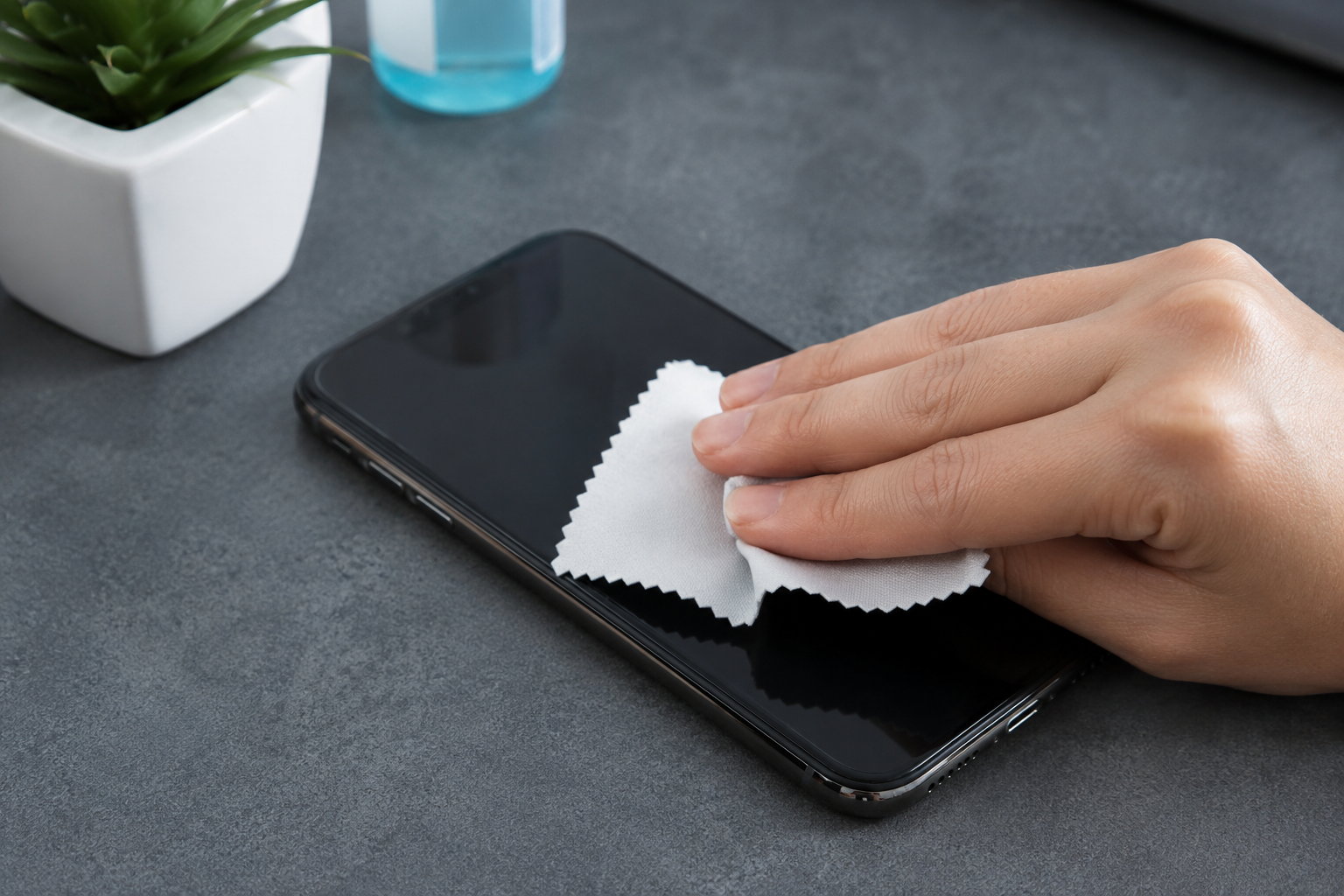
A clean microfiber cloth is one of the most useful tools for cleaning a smartphone. Microfiber cloths are soft and can remove fingerprints and dust without easily scratching the screen.
You can also use a small amount of clean water when necessary. If your phone manufacturer recommends a specific screen cleaning solution, you can use that product according to its instructions.
A soft, dry cloth can also be useful for cleaning the outside of your phone. For small areas, such as around the edges, you should work carefully rather than pushing dirt deeper into the device.
Avoid using rough paper towels, tissues, or hard materials because they may leave scratches or small pieces of material behind.
Turn Off Your Smartphone Before Cleaning
One of the first steps in safe smartphone cleaning is turning off your device. Disconnect the phone from its charger and remove any cables or accessories.
Turning off the phone makes cleaning safer because you do not have to worry about accidentally touching the screen or activating an app. It also gives you a chance to inspect the phone properly.
If your phone has a removable case, take it off before cleaning. The case can collect a lot of dust and dirt, so cleaning only the phone is not enough.
Once the phone is turned off, place it on a clean and dry surface.
Clean the Smartphone Screen Safely
The smartphone screen is usually the part that needs cleaning most often. Fingerprints, oil, and dust can quickly make the screen look dirty.
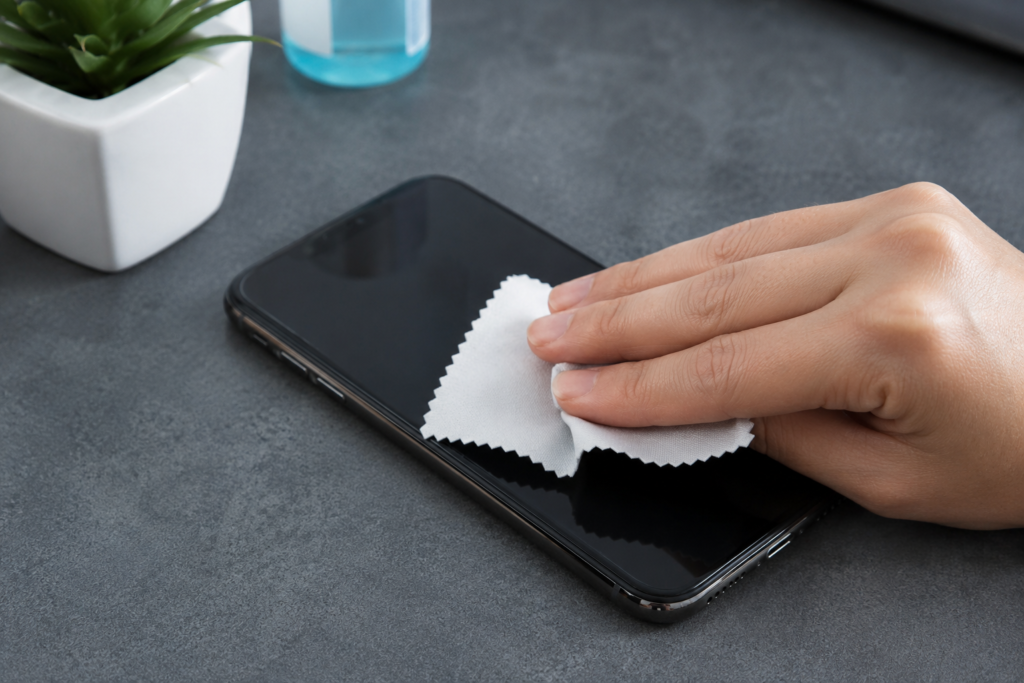
Start with a dry microfiber cloth. Gently wipe the screen using light movements. There is no need to press hard. Most fingerprints and dust can be removed with a dry cloth.
If the screen still has marks, slightly dampen a corner of the microfiber cloth with clean water. The cloth should be damp, not wet. Never pour water directly onto your smartphone screen.
Gently wipe the screen again and then use a dry part of the cloth to remove any remaining moisture.
Do not use excessive pressure while cleaning. A smartphone screen has a special protective surface, and aggressive cleaning can damage this coating over time.
How to Clean the Phone Body
The back and sides of your smartphone can also collect dirt and fingerprints. Use a clean microfiber cloth to gently wipe these areas.
Pay attention to areas around the buttons and edges. Dirt can collect in small spaces, especially if you use your phone regularly.
If your phone has a glass back, clean it gently just like the screen. If it has a metal or plastic body, a microfiber cloth is usually enough for normal cleaning.
Do not spray cleaning liquid directly onto the phone body. Always apply a very small amount to the cloth if a cleaning solution is recommended by the manufacturer.
Be Careful Around the Charging Port
The charging port is one of the areas where dirt and dust can collect easily. This can sometimes make it harder for the charging cable to connect properly.
When cleaning the charging port, be very careful. Do not pour liquid into the port and do not push sharp objects inside it.
A simple way to reduce problems is to keep the phone away from dusty environments when possible. If you notice a serious buildup inside the charging port, it may be better to ask a professional technician for help.
Using pins, needles, or other metal objects can damage the port and create a bigger problem.
Clean the Smartphone Camera Lens
A dirty camera lens can affect your photos and videos. Fingerprints on the lens can make pictures look blurry or create unwanted light effects.
Use a clean microfiber cloth to gently wipe the camera lens. You do not need strong cleaning chemicals for normal fingerprints or dust.
Clean the lens before taking important photos, especially if you notice that your pictures are not as clear as usual.
Be gentle around the camera area because modern smartphone camera systems can be sensitive to pressure and scratches.
Keep the Speakers Clean
Dust can also collect around your smartphone speakers. If the speaker openings become blocked, you may notice a change in sound quality.
Do not pour water into the speaker openings. Avoid pushing sharp objects into them as well.
For light dust, gently wipe the area around the speakers with a soft, dry microfiber cloth. If the speaker area is heavily blocked, professional cleaning may be safer than trying to remove the dirt yourself.
Clean Your Smartphone Case
A clean phone needs a clean case. If you continue using a dirty case, the dirt can quickly move back onto your smartphone.
Remove the case and check its cleaning instructions. Many plastic and silicone cases can be cleaned with mild soap and water, but you should make sure the case is completely dry before putting it back on your phone.
If the case has fabric, leather, or another special material, follow the manufacturer’s cleaning instructions.
Do not put a wet case back onto your smartphone. Moisture trapped between the case and phone can cause problems over time.
Cleaning Products You Should Avoid
Using the wrong cleaning product can damage your smartphone. Avoid strong household cleaners unless your phone manufacturer specifically says that they are safe.
Do not use bleach, window cleaner, strong solvents, or abrasive cleaning products on your phone.
You should also avoid spraying liquid directly onto the device. Even if a smartphone has some level of water resistance, this does not mean that it is safe to expose the phone to cleaning liquid.
Avoid rough cloths and materials that can scratch the screen.
The safest approach is usually simple. Use a clean microfiber cloth and only a small amount of an appropriate cleaning solution when necessary.
How Often Should You Clean Your Smartphone?
There is no single rule for how often you should clean your phone. It depends on how often you use it and where you take it.
For most people, wiping the screen and outside of the phone a few times each week is a good habit. If you use your smartphone in dusty or dirty environments, you may need to clean it more often.
Your phone case can also be cleaned regularly because it can collect dirt faster than the phone itself.
The important thing is not to overclean the device with strong products. Gentle and regular cleaning is better than aggressive cleaning.
Simple Smartphone Cleaning Habits
Keeping your smartphone clean is easier when you develop a few simple habits. Try to avoid placing your phone on dirty surfaces whenever possible.
Wash your hands regularly, especially before using your phone after eating or working with dirty materials. Clean your phone when you notice fingerprints, dust, or visible dirt.
Keep a microfiber cloth in a safe place at home or in your workspace. This makes it easier to clean your phone whenever necessary.
Also avoid sharing your phone unnecessarily if it becomes difficult to keep the device clean. A few small habits can help maintain your smartphone for a longer time.
Final Thoughts
Knowing how to clean your smartphone safely can help you keep your device looking clean and working properly. The process is simple when you use the right tools and avoid unnecessary moisture or strong chemicals.
Start by turning off your smartphone and removing the case. Use a clean microfiber cloth to gently wipe the screen, back, sides, and camera lens. Be especially careful around the charging port, speakers, and other openings.
Remember that your smartphone is an electronic device, so less liquid is usually better. Never spray cleaning products directly onto the phone and avoid sharp tools or abrasive materials.
Regular smartphone cleaning does not take much time, but it can make your device feel cleaner and more comfortable to use. With a few simple habits, you can safely clean your smartphone and keep it looking fresh for a long time.